For CERT teams and county EOCs
Coordinate CERT teams from the street to the county EOC
CERT Command connects Community Emergency Response Team volunteers, their team leaders and the county emergency operations center during an activation, a drill or a training. Everyone works on one shared record, even when the network is down.
Works without internet
Phones and dashboards keep what you do and send it, with its time, when the connection returns.
One signed record
Every check-in, report and message is signed by the device that made it.
ICS forms, ready
ICS 213, 214 and 309 come straight from what happened, for the period you choose.
Private by design
No ads, no tracking. A member's position is shared only while they are checked in.
What CERT Command is
Three apps, one picture of the activation
During a hurricane, CERT teams need to know who is out, where they are, what they have seen and what the county needs. Radios and group texts carry the words but keep no record and show no map. CERT Command gives each level its own app, all working on the same record, kept by the county's CERT Command server.
-
Field member
A member reports
Water is rising at Bayview Apartments. Pat taps Report, picks Flooding and High, and takes a photo. The place and position go with it, or wait on the phone until there is signal.
-
Team leader
The leader acts
The report comes up at the top of Lee's dashboard and on the map. Lee acknowledges it, answers Pat and gives a task to the nearest team. Serious reports go on to the county.
-
County EOC
The county sees it
The EOC sees it next to every other activated team, answers Lee, and broadcasts to every team leader when the shelters open. The ICS forms write themselves.
At a glance
Who uses what
Each part of CERT Command is made for one job. A member never needs a computer, and a leader never needs the EOC's console.
| County EOCCERT Command Console | Team leaderCERT Command Leader | Field memberCERT Command app | |
|---|---|---|---|
| Runs on | A web browser | Mac and Windows | iPhone and Android, both in their test period |
| Sees | Every activated team: readiness, who is checked in, serious reports | Their whole team: members, positions, reports and tasks | Their status, their tasks and their team's messages |
| Does | Answers reports, messages team leaders, broadcasts to every team, creates teams and invites leaders | Sets readiness, organizes teams, gives tasks, acknowledges reports, talks with the county | Checks in, sets a status, sends reports with a photo, updates tasks, talks with the team |
| ICS forms | 213, 214, 309 | 213, 214 | None needed |
| Offline | Needs the connection | Keeps working, sends when back | Keeps working, sends when back |
| Joins with | A passkey: Touch ID, Face ID or Windows Hello, no password | A leader code from the county | The leader's QR code in person, or the leader's invitation (approved by the leader) |
| Checks in | Not needed | From the dashboard | In person, by scanning the leader's check-in code, or from the field with the leader's approval |
Swipe the table sideways to see all three.
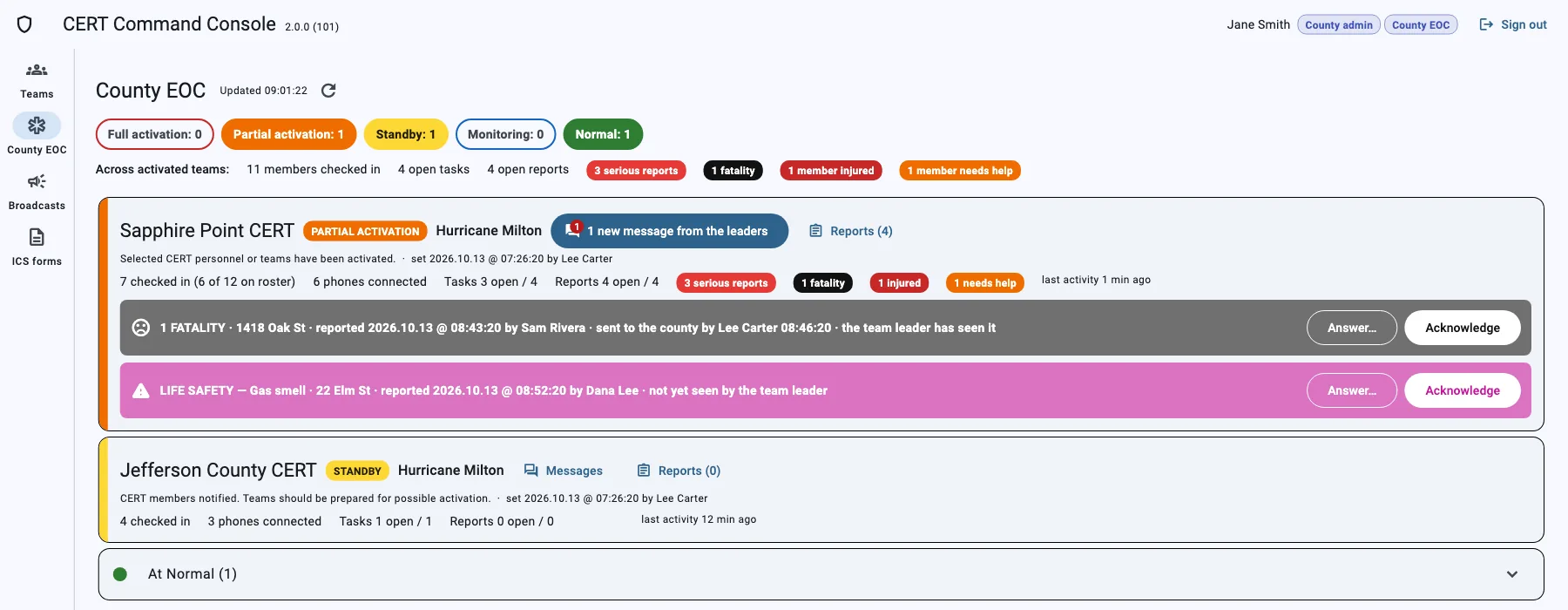
Every activated team, on one page
EOC staff follow the activation from any browser. Teams are sorted by readiness, and the reports that need the county come first, with who sent them, where, and whether the team leader has seen them.
- The readiness of every team: full or partial activation, standby, monitoring, normal
- Serious reports sent on by team leaders, with the place and the photo
- Messages with each team leader, and broadcasts shown on every dashboard
- ICS 213, 214 and 309 for the period you choose
- County administrators create the teams and invite their leaders
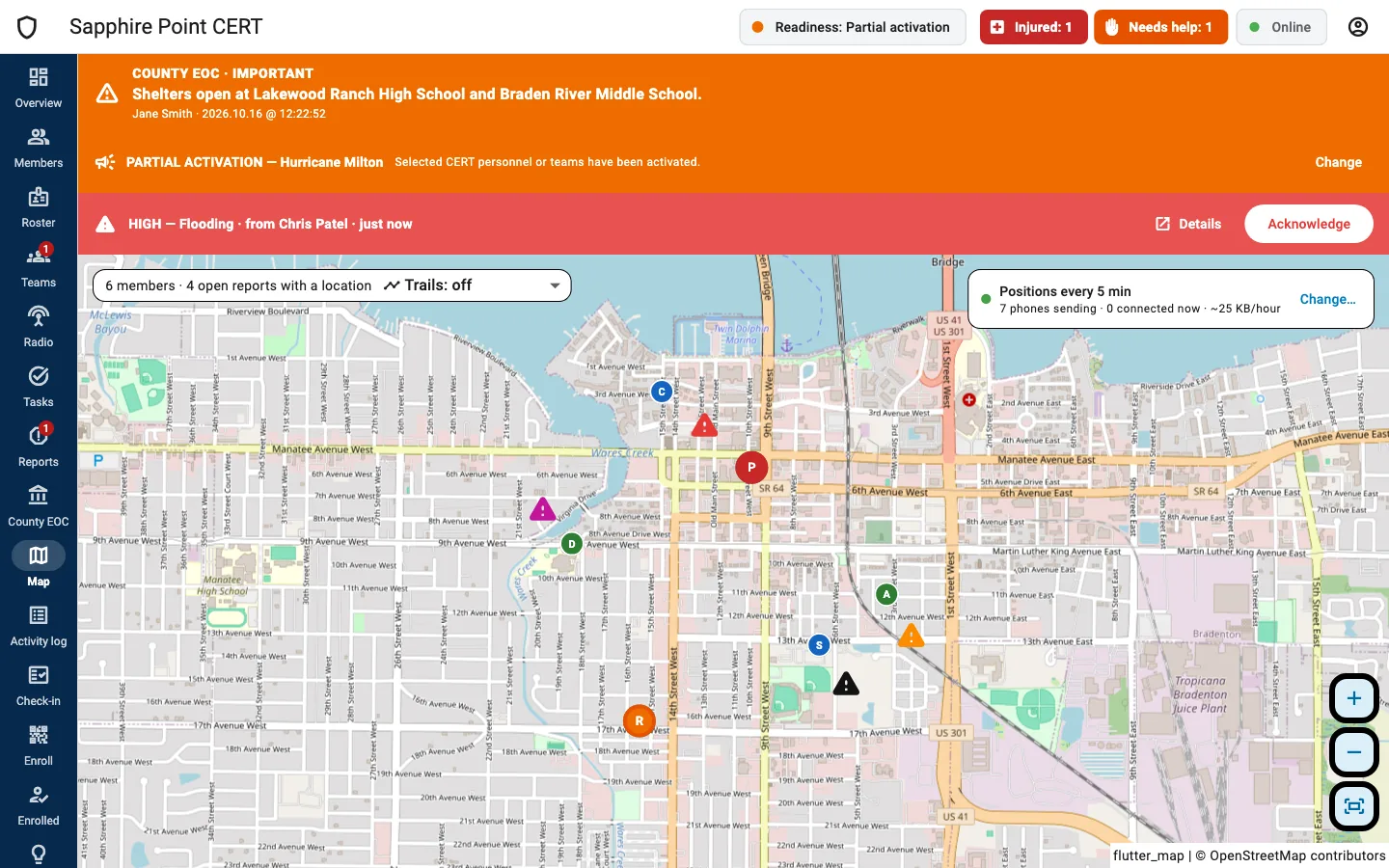
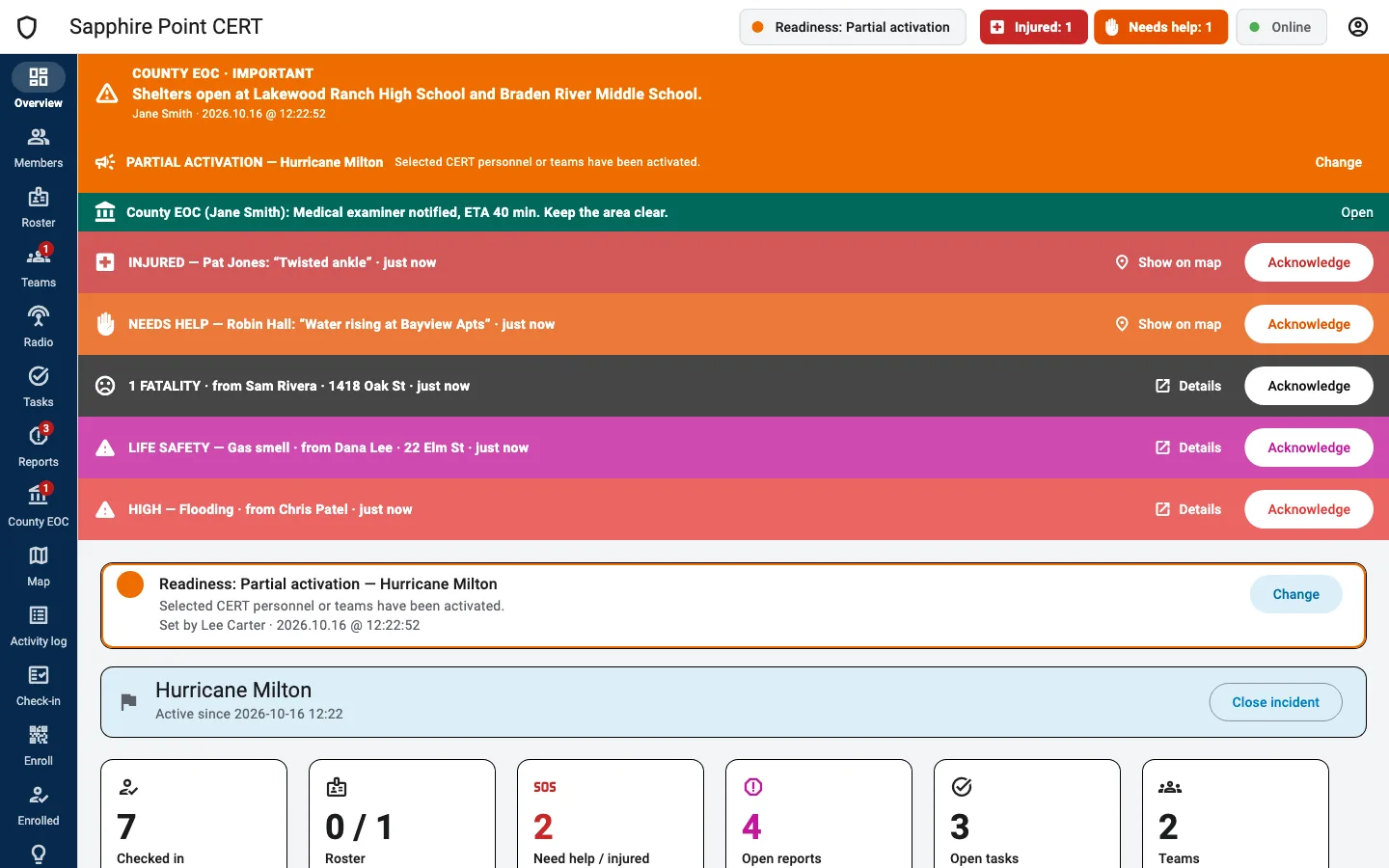
Run your team, even when the internet is down
CERT Command Leader is the team leader's dashboard. Alarms come first, every member and report is on the map, and everything you do is saved on the computer and sent when the server is reachable.
- Who needs help or is injured, at the top until someone acknowledges it
- Members and reports on the map, with the trail of where each member went
- Tasks for one team or several at once; each team closes its own
- Members check in in person with a check-in code that changes every 30 seconds; the roster imports from Excel
- Messages with the county EOC, the radio plan, the activity log, ICS 213 and 214
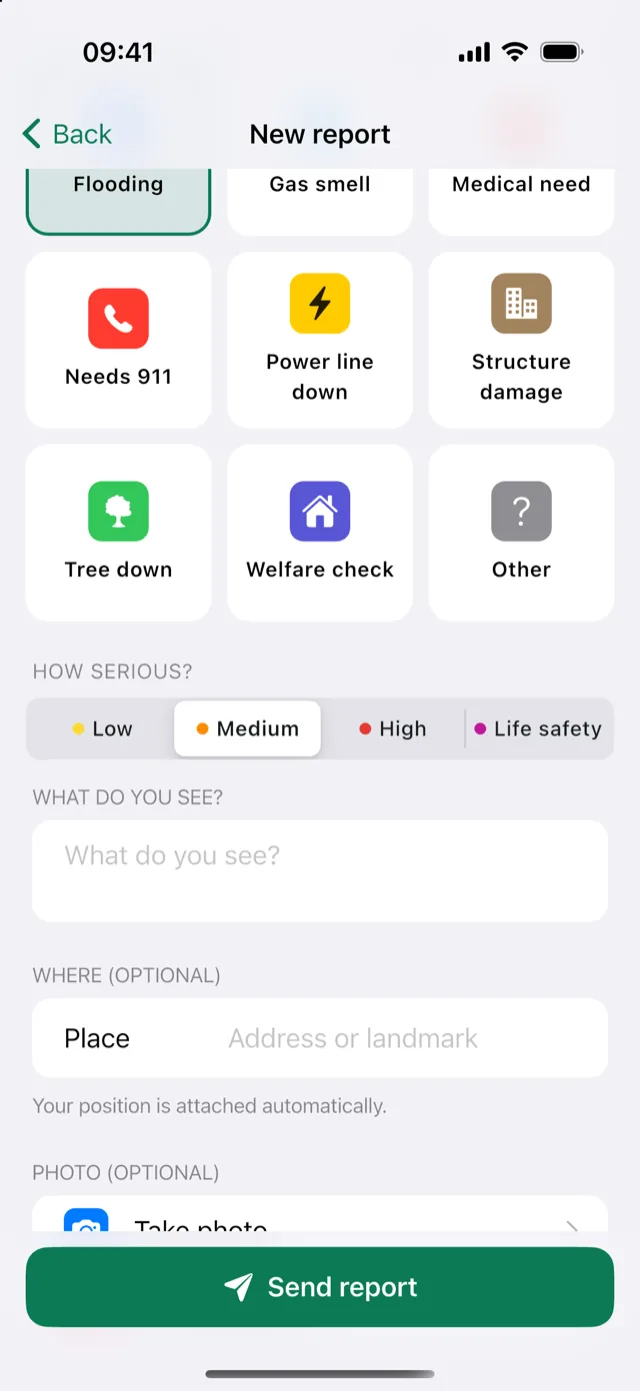
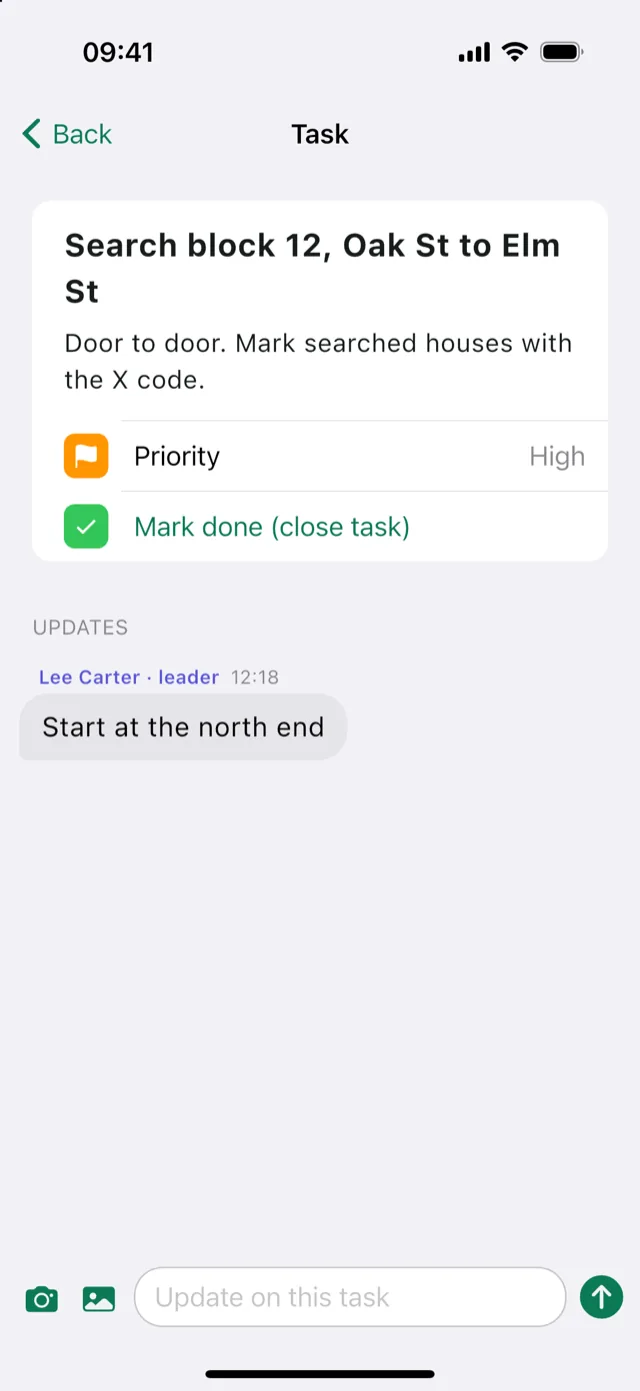
Check in, report, stay in touch
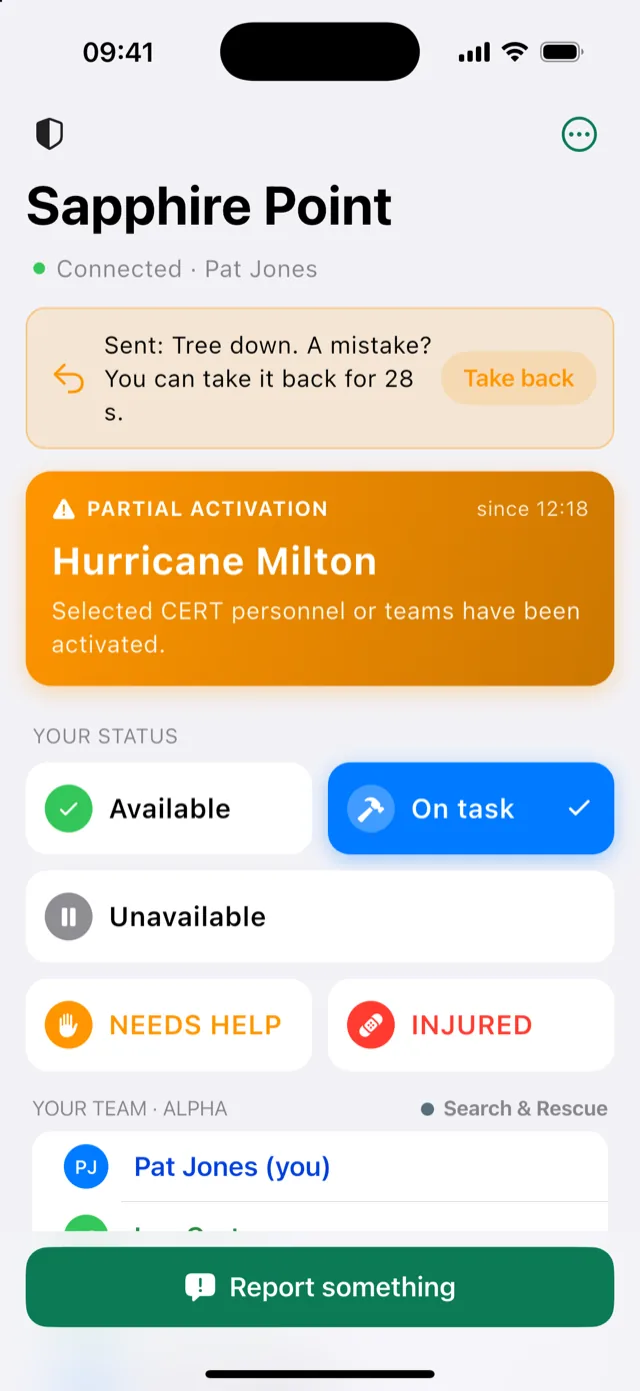
The CERT Command app is made for the field: a status in one tap, a report in a few, and nothing lost when there is no signal.
- Your status in one tap: available, on task, needs help, injured
- Reports with a photo, the place and how serious, and the leader's answer when it comes
- Your tasks, with updates and photos, closed when they are done
- Messages with your team; without signal, they go out later
- Your position goes to your leader only while you are checked in
Getting started
Where to begin
CERT Command is being tested with CERT teams in Manatee County, Florida.
Counties and CERT programs
Join our list to stay up to date: new versions, and when CERT Command opens to more counties.
Team leaders
Your county administrator sends you an invitation email with your leader code and how to install the dashboard.
Install and enrollMembers
Install the phone app, then join your team: scan your team leader's code, or open the invitation they send you.
Join your team